Run Your Cabinet Shop. Powered by AI.
Design-to-production workflows, material procurement, shop scheduling, and installation coordination — all in one platform for cabinet makers.
Everything You Need to Grow Your Cabinet Makers
Purpose-built tools that work together seamlessly for cabinet makers.
Design to Production
Convert approved designs into material requirements and production schedules automatically.
Material Procurement
Track hardwood, plywood, and hardware orders with supplier lead times and delivery coordination.
Shop Scheduling
CNC queue management, assembly bench allocation, and finish room time blocking per project.
Installation Coordination
Schedule installs tied to countertop templating, appliance delivery, and plumbing milestones.
Invoicing & Change Orders
Milestone billing with change order workflows that calculate cost impact before proceeding.
Shop Analytics
Production throughput, material costs, and job profitability — all at a glance.
Your Complete Cabinet Makers Toolkit
Every app included in your cabinet makers package, with the features that matter most.
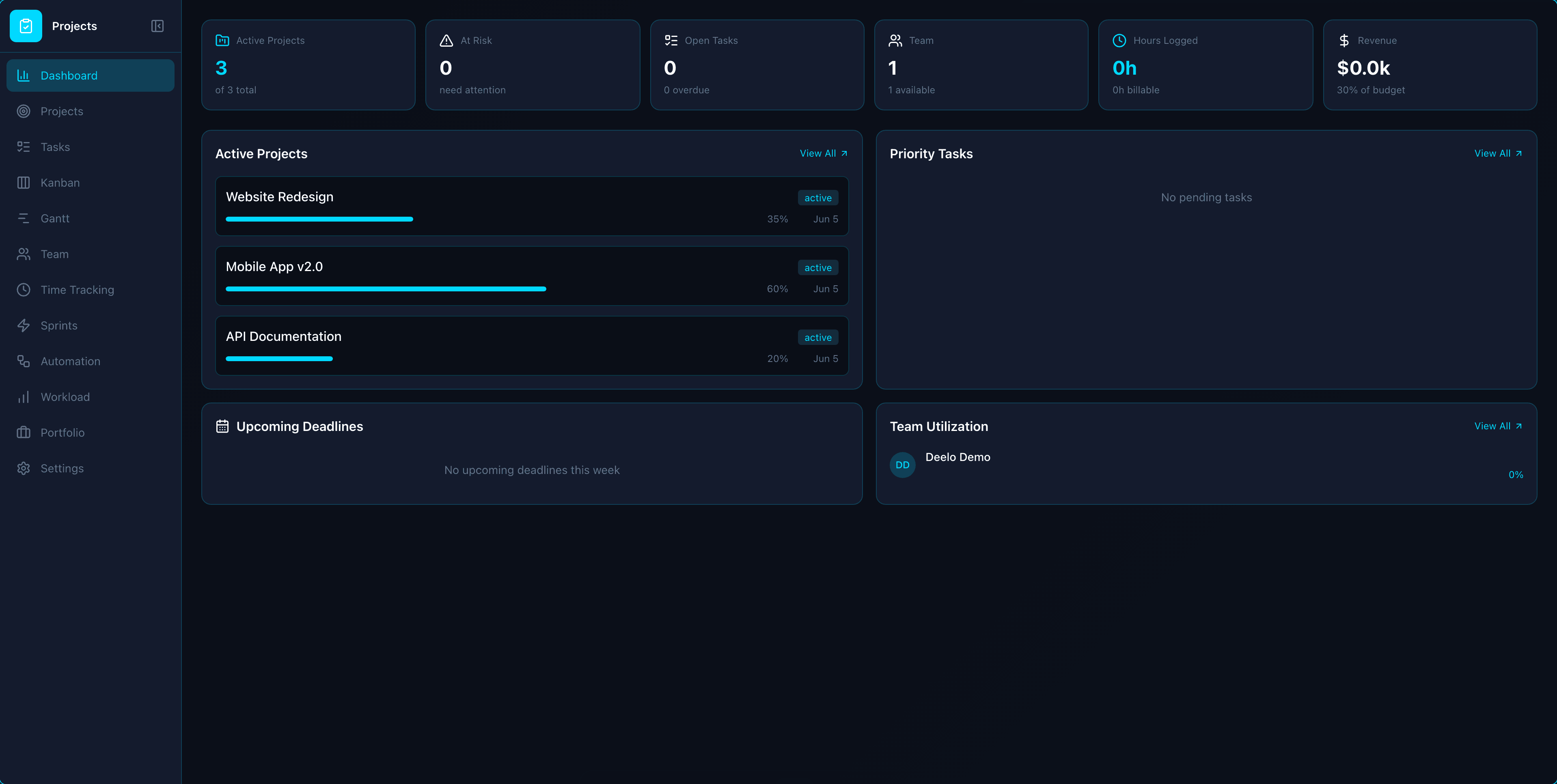
Projects
Ship on time with Kanban, Gantt, and sprint planning
Drag-and-Drop Kanban
Configurable columns per status, card previews with assignee/priority/due date, and drag-drop updates across boards.
Interactive Gantt Charts
Timeline view with task bars, dependency lines, critical path highlighting, drag-to-reschedule, and cascade date updates.
Sprint & Iteration Management
Sprint backlog from kanban, sprint planning, velocity tracking, burndown charts, and retrospective notes.
Workload & Capacity View
Per-member capacity planning across all projects showing allocated vs available hours with overallocation warnings.
Portfolio Dashboard
Multi-project roll-up view with health status (on track/at risk/behind), progress bars, budget summary, and owner filtering.
Task Automation Rules
When-then rules -- 'when completed, assign next dependent task' -- with triggers on status, assignee, and date changes.
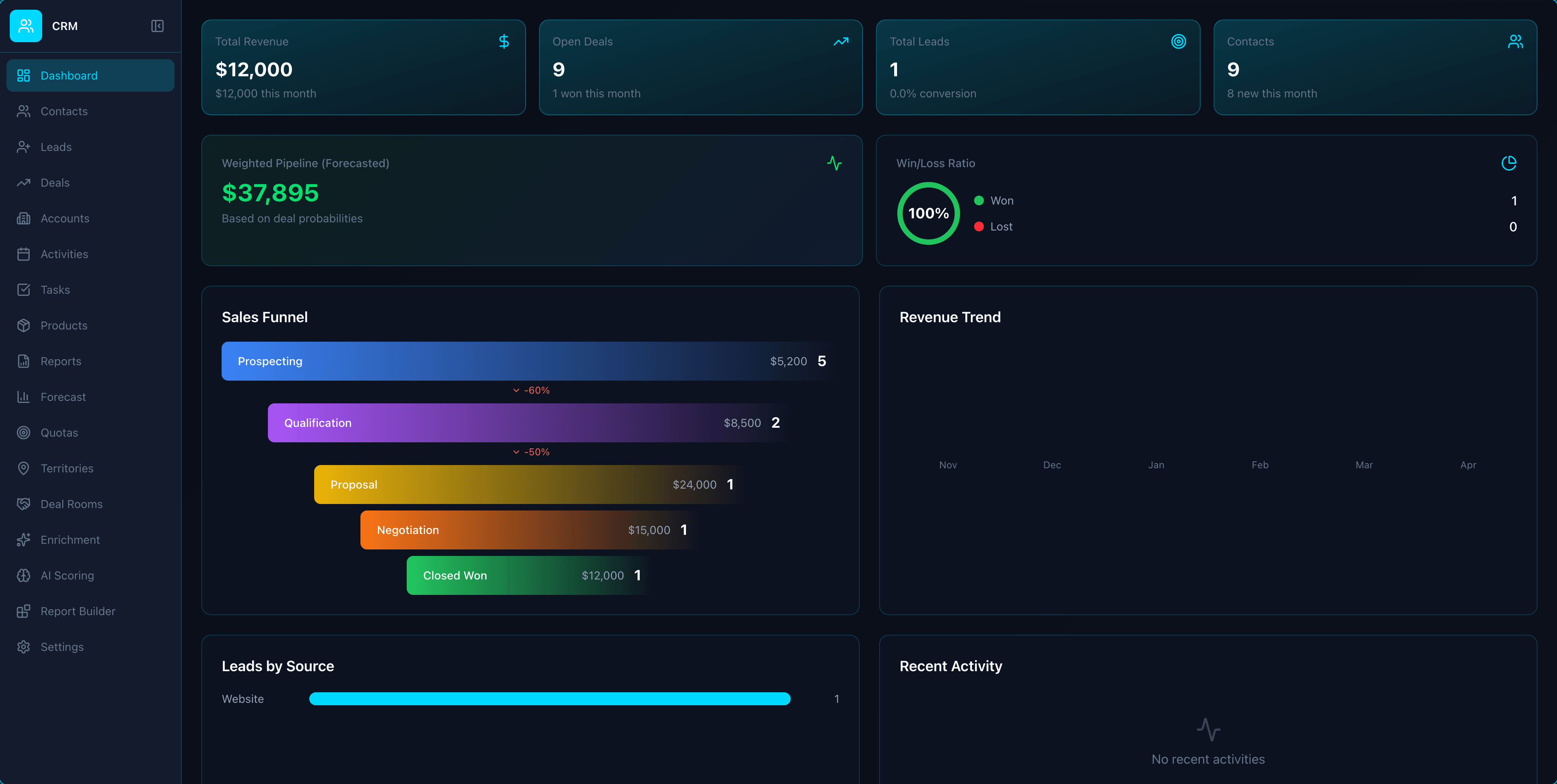
CRM
AI-powered CRM that closes 3x more deals
Visual Sales Pipeline
See your entire sales process at a glance with customizable pipeline stages. Drag and drop deals between stages, set deal values, and forecast revenue with confidence.
- Unlimited custom pipeline stages
- Drag-and-drop deal management
- Weighted revenue forecasting
- Pipeline velocity tracking
360-Degree Contact View
Every interaction, email, call, and note in a single timeline. Know your customers deeply and never ask them to repeat themselves.
- Unified activity timeline
- Email and call tracking
- Custom fields and tags
- Company and contact hierarchies
Sales Automation & Workflows
Automate repetitive tasks so your team focuses on selling. From lead assignment to follow-up sequences, let automation handle the busywork.
- Auto lead assignment rules
- Drip email sequences
- Task creation triggers
- Deal stage automation
Reports & Analytics
Track team performance, pipeline health, and revenue trends with real-time dashboards and custom reports.
- Sales performance dashboards
- Custom report builder
- Win/loss analysis
- Team leaderboards
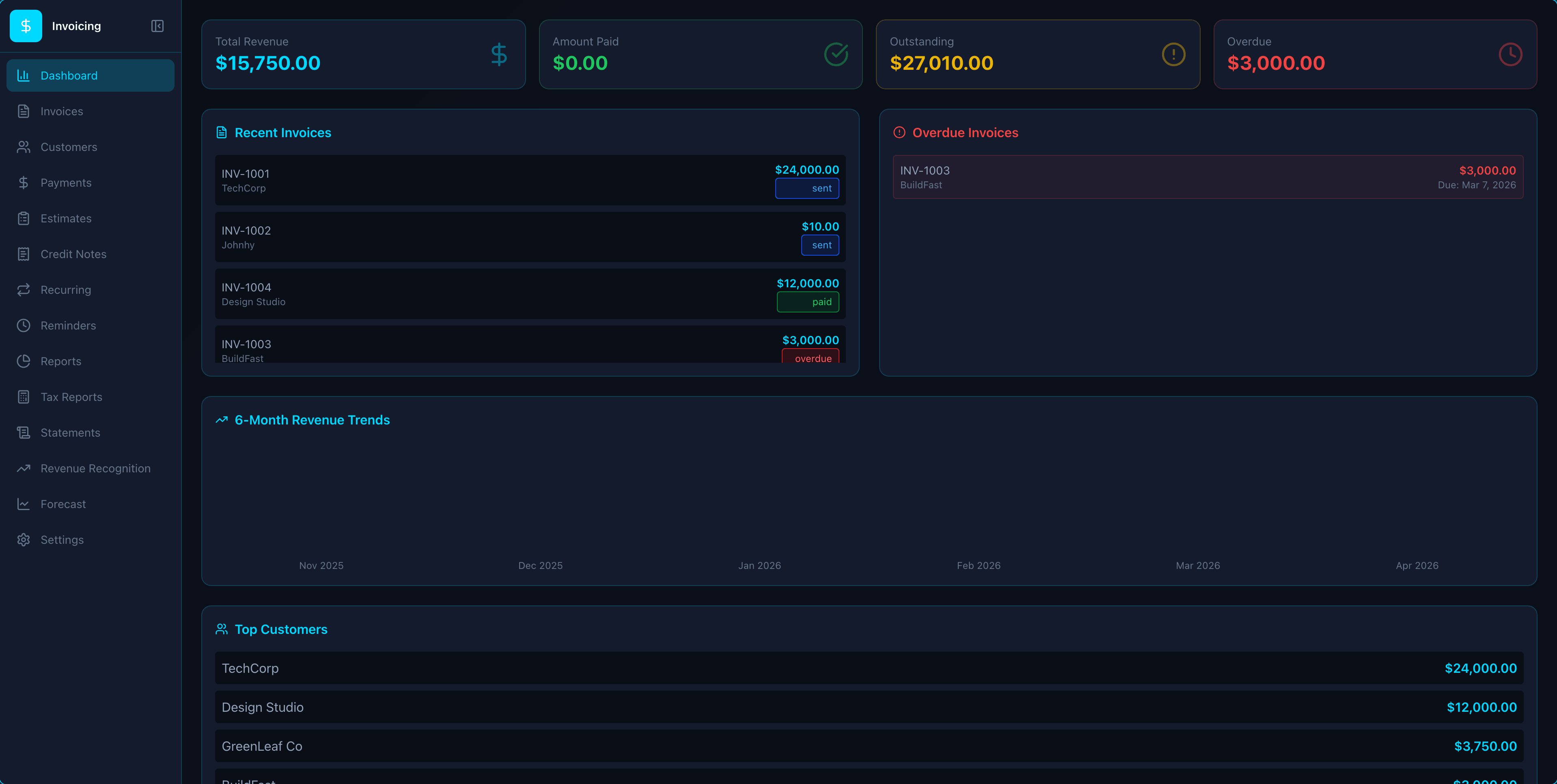
Invoicing
Get paid 2x faster with AI-powered billing
Estimates & Quotes
Create professional estimates, send for client approval, and convert to invoices with one click -- preserving every line item.
Recurring Invoices & Stripe Subscriptions
Auto-generate invoices on schedule with Stripe subscription sync, next-due tracking, and generation history.
Credit Notes & Retainers
Issue credit notes linked to invoices, track customer credit balances, and manage retainer deposits with auto-apply.
Late Fees & Payment Reminders
Auto-calculate late fees (flat or %) after configurable grace periods and send automated payment reminders.
Time-to-Invoice
Pull Time Tracker entries by project and date range, group by client, and generate invoices with billable rates in one click.
Payment Plans & Installments
Split invoices into installment schedules with auto-generated reminders and Stripe auto-charge per payment.
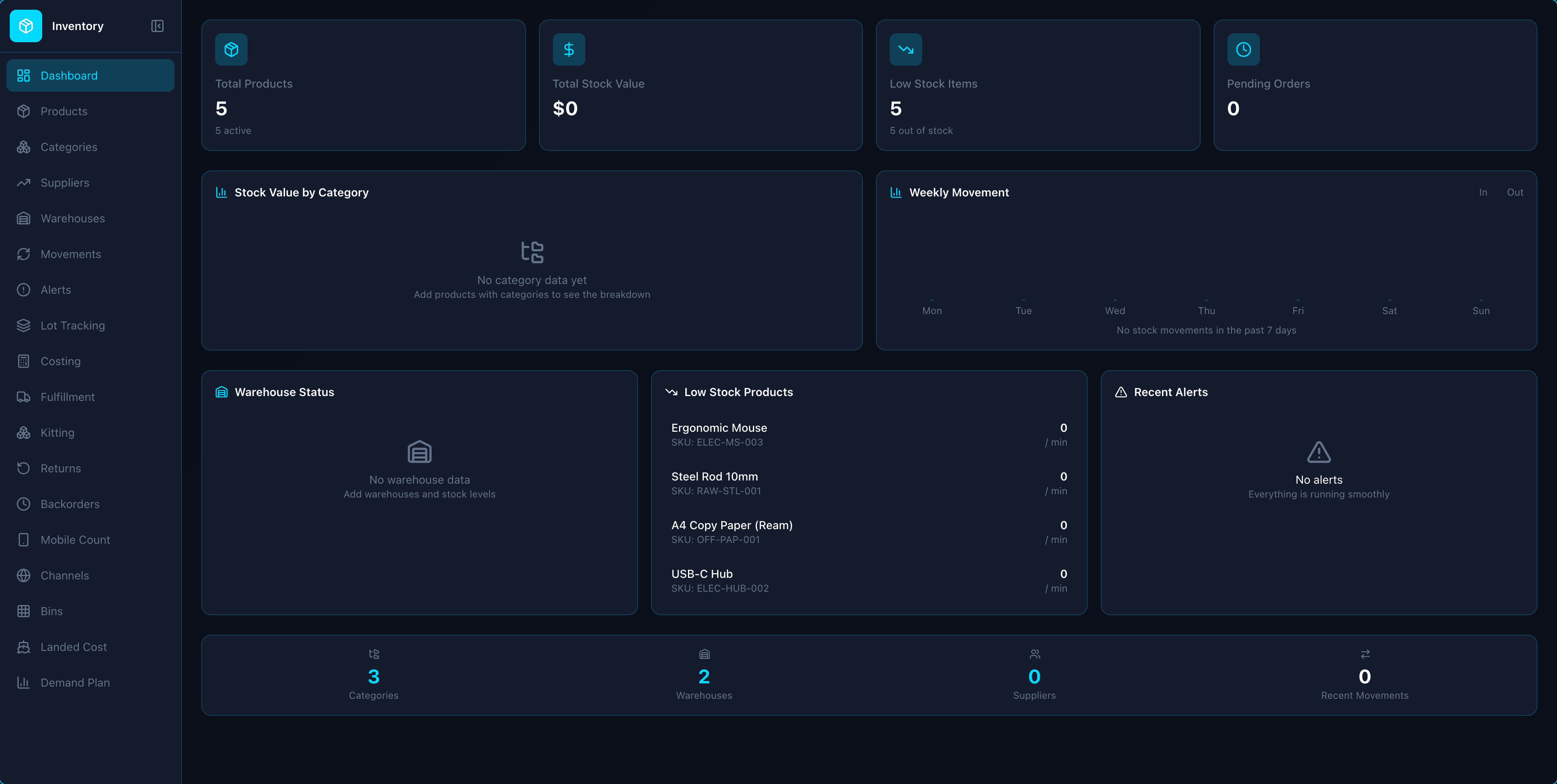
Inventory
Inventory made simple
Stock Tracking
View recorded stock levels, low-stock alerts, and product reorder settings.
Stock Consistency Report
Administrators can inspect bounded, read-only snapshots for differences between product, location, and reservation records. Scan limits and unknown values are shown explicitly; no automatic stock repair is performed.
Legacy Stock-Accounting Evidence
Authorized Inventory and Accounting users can inspect read-only legacy COGS evidence; stock-bill evidence also requires Purchasing access. Coverage limits and contradictions are separate from historical completion, which remains unverified. No automatic posting or balance repair is performed.
Multi-Warehouse
Manage inventory across multiple warehouses and locations.
Barcode Labels
Print product barcode labels with export permission. Scanner-driven stock counting is not yet available.
Purchase Orders
Create and track purchase orders with supplier management.
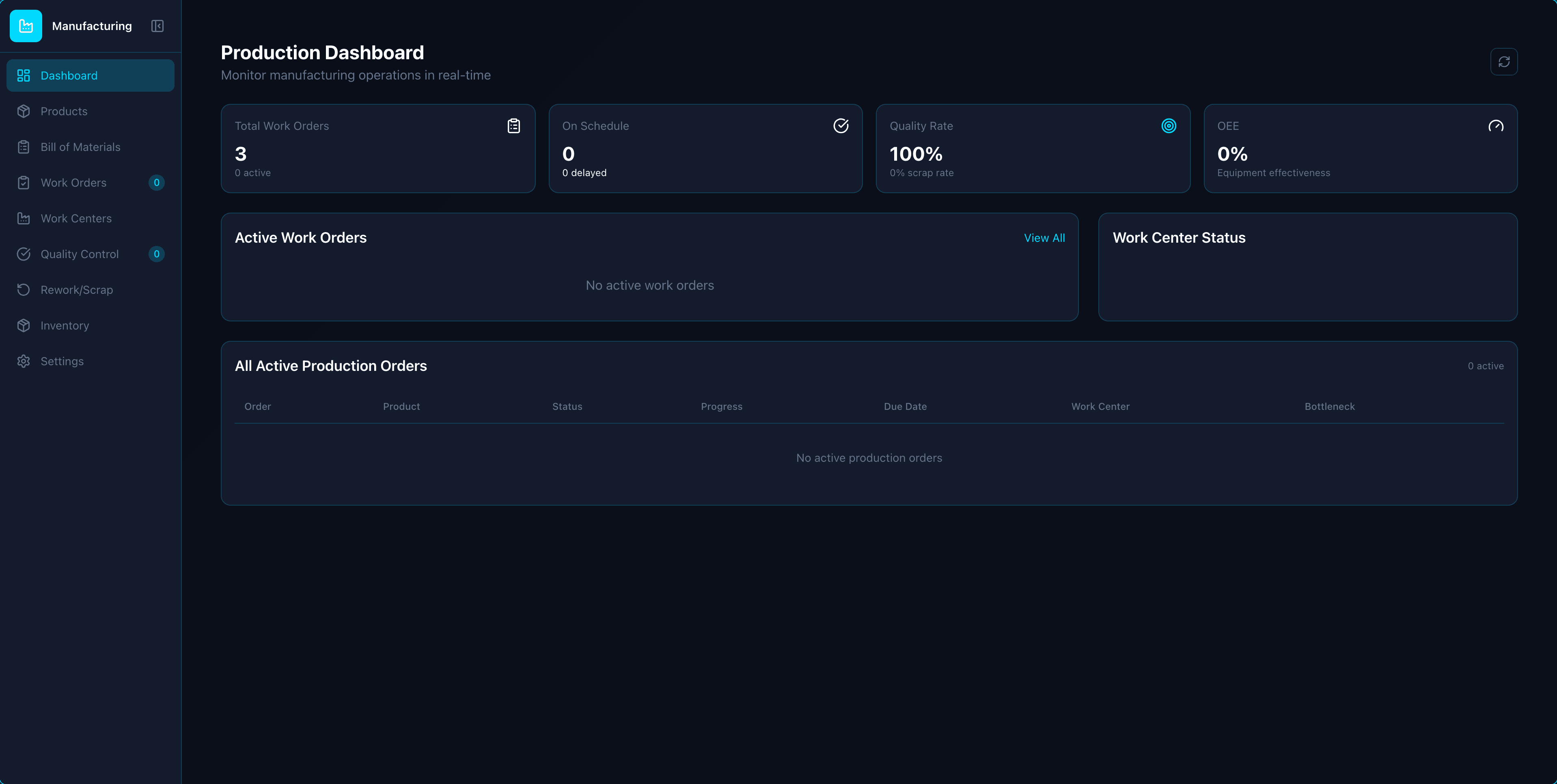
Manufacturing
Production management — from BOM to finished goods with capacity planning and traceability
Production Work Orders
Full lifecycle tracking (draft/scheduled/in-progress/completed/cancelled) with priority, quantity, due dates, and work-center assignment.
Shop Floor Operator Interface
Simplified operator view with a work order queue, persistent punch in/out per operation, recorded barcode scan start/stop, and OEE metrics. One operator can only be clocked in once, and a work center refuses more concurrent jobs than its capacity allows.
Routing & Operations
Give a bill of materials its operations — work center, sequence, time per unit, setup and cleanup. Releasing a work order copies them onto it, and the shop floor works them in order: each step unlocks only when the one before it finishes.
Multi-Level & Kit BOMs
Nest bills of materials and see the whole structure as a tree, with a where-used lookup for any part. Mark a BOM as a kit and every work order using that product consumes its parts instead of the product itself; stocked sub-assemblies are still drawn from stock, so nothing is consumed twice. A BOM that contains itself is refused rather than half-built, and releasing a work order records the BOM revision it was planned against.
Partial Production & Backorders
Complete a work order for what you actually made. The remainder can be closed short or split into a new work order that keeps the same product, bill of materials, routing and dates — created exactly once, even if the completion is retried. A bill of materials can also declare a process loss, so units destroyed by the process are never added to stock while their material cost is carried by the units that survive; an overproduction allowance, so completing above plan is either permitted or refused outright rather than silently reduced; and a consumption policy that can warn about, or refuse, a completion that has drawn more material than the BOM requires.
Production Scheduling (Gantt)
Gantt chart for production orders with work-center allocation, drag-to-reschedule, and highlighting for urgent and high-priority orders.
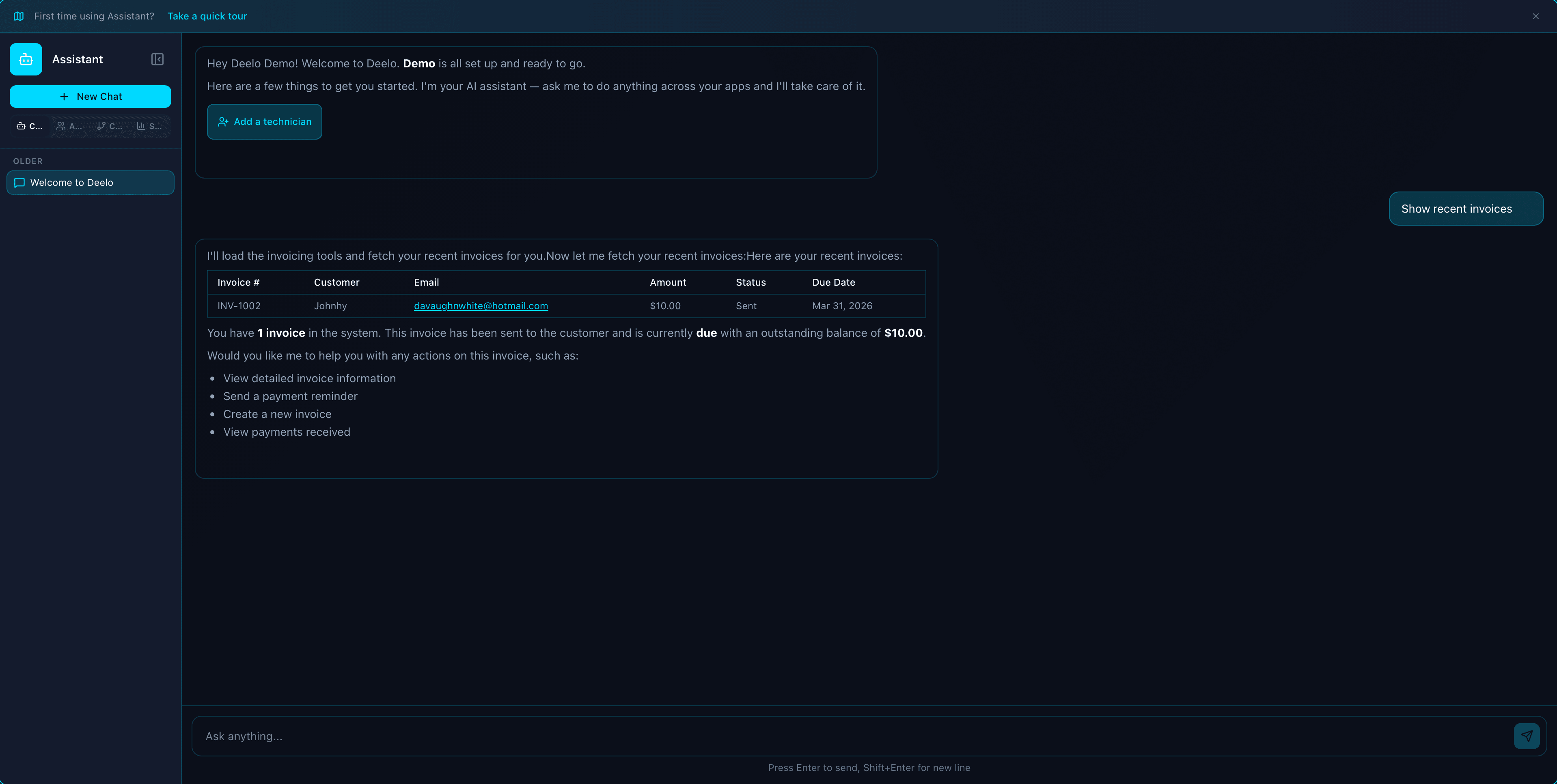
AI Assistant
AI agents that run your business 24/7 -- on the phone, over text, or through a shareable web link
Custom AI Agents
Create purpose-built agents with configurable roles, system prompts, and autonomy levels -- from fully assisted to fully autonomous.
Pre-Built Agent Templates
Launch in seconds with ready-made Sales, Marketing, Support, Developer, Finance, HR, and Operations agents.
Phone & SMS Channels
Attach a number and your agent answers inbound calls and texts -- conversing naturally and acting with its full toolset (booking, CRM, tickets), not just talking. Runs on the Communications add-on.
Shareable Web Chat Link
Publish any agent to a public link anyone can open -- add it to your site as a 24/7 support rep or sales concierge that answers, qualifies, and books, no login required. No add-on; priced like your regular AI Assistant chats.
Messaging App Channels
Bring the same agent to WhatsApp, Messenger, Telegram, Slack, and Discord -- it answers and takes action with its full toolset right where your customers and team already chat. Metered by AI credits per reply, no add-on.
40+ App Tool Integrations
Agents read and write data across CRM, Invoicing, Projects, Helpdesk, and every installed app with scoped CRUD tools.
Why Choose Deelo for Your Cabinet Makers?
See how Deelo's project management software compares to the most popular alternatives on the market.
| Feature | Deelo Projects | Asana | Monday.com | ClickUp | Basecamp |
|---|---|---|---|---|---|
| Kanban Boards | Included | Included | Included | Included | Included |
| Gantt Charts | Included | Included | Included | Included | Not included |
| Sprint Planning | Included | Not included | Not included | Included | Not included |
| Workload Management | Included | Included | Included | Included | Not included |
| Portfolio Dashboard | Included | Included | Included | Included | Not included |
| Time Tracking | Included | Not included | Included | Included | Not included |
| Built-in Invoicing | Included | Not included | Not included | Not included | Not included |
| 50+ Integrated Apps | Included | Not included | Not included | Not included | Not included |
| Price | $19/seat/mo | $0-30.49/user/mo | $0-24/user/mo | $0-19/user/mo | $15/user/mo |
Frequently Asked Questions
Everything you need to know about Deelo for cabinet makers.
Start Free Today
Get all the tools your cabinet makers needs — completely free. No credit card required.
Get Started FreeLearn More About Cabinet Makers
Guides, comparisons, and free tools for cabinet makers.
Best CRM for Small Business in 2026
Compare the top CRM platforms for small businesses and find the right fit.
Read articleComparisonsDeelo vs HubSpot: Enterprise CRM Comparison
See how Deelo stacks up against HubSpot on features, pricing, and ease of use.
Read articleComparisonsHubSpot CRM Pricing: Free vs Paid Breakdown
Understand HubSpot's pricing tiers and what you actually get at each level.
Read articleFair, Simple Pricing
One price, all apps included. No per-app fees, no feature upselling, no surprises.
Apps that collect customer payments via Stripe (POS, eCommerce, Invoicing, and more) have a card-processing fee: 3.3% + $0.30 per transaction on Free, lifted to Stripe’s standard 2.9% + $0.30 with no Deelo markup on every paid plan.
Free
forever
placeholder
For individuals exploring Deelo
- 1 user
- All 40+ apps
- 1GB storage
- 50 AI credits/month
- Community support
- Deelo branding
Starter
per user/month
placeholder
For small teams getting started
- All 40+ apps
- 10GB storage per user
- 200 AI credits/month
- Email support
- Basic integrations
- Remove Deelo branding
Business
per user/month
placeholder
For growing organizations
- All 40+ apps
- 100GB storage per user
- 1,500 AI credits/month
- API access included
- SSO (SAML/OIDC)
- Priority email support
- Advanced integrations
Enterprise
per user/month
placeholder
For large-scale deployments
- All 40+ apps
- Unlimited storage
- 10,000 AI credits/month
- Full API access
- SSO + SCIM provisioning
- Dedicated support
- 99.9% SLA
Optional Add-ons
Related industries
Deelo also powers businesses across these adjacent industries.
Ready to Transform Your Cabinet Makers?
Get started with a platform built for cabinet makers. Free to start — no credit card required.